Simple. Fast. Operational.

No complex integrations. No weeks of setup. No technical expertise required. Sense works the way event operations should: deploy fast, know now, act immediately.

Four Steps. That's It.
1. Deploy Sensors

Time: 2-4 hours for typical venue

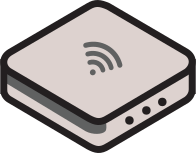
Passive sensors scale by surface area. Place them throughout your space—entrances, key zones, activations, bottleneck areas. They detect anonymous device signals (WiFi, Bluetooth) without requiring attendees to connect to anything.

Works offline. No WiFi infrastructure required. No app downloads. No attendee friction.

2. Monitor Real-Time

Live dashboards during your event

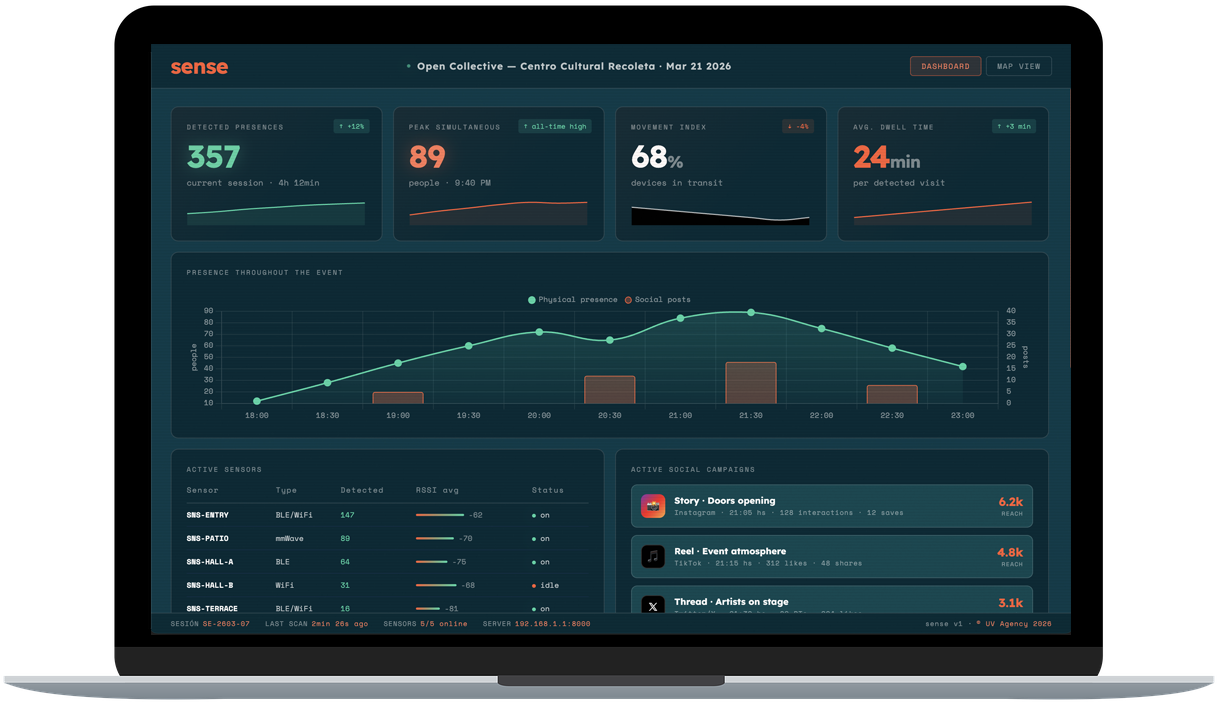
Access clean, simple dashboards showing heat maps, dwell time, crowd flow, and peak hours as they happen. See bottlenecks forming, dead zones emerging, and traffic patterns shifting in real-time.

No data science degree required. No complex analytics. Just clear metrics you can act on.

3. Adjust Operations

Fix problems while the event is running

20-minute line at registration? Move staff. Dead zone in the back corner? Relocate activations. Unexpected crowd surge? Adjust security positioning. Make operational decisions based on truth, not guesses.

This is where Sense pays for itself: preventing problems instead of just reporting on them.

4. Export Insights

Your data, your way

Export clean CSV files, generate PDF reports, access via API. Share with stakeholders, analyze in your own tools, prove value to sponsors, plan better events next time. No vendor lock-in.

Data you can actually use, in formats everyone understands.
How the Sensors Work

Passive signal detection. Privacy by design. No cameras, no tracking, no creepiness.

What They Detect

Sense sensors passively detect anonymous device signals—WiFi probe requests and Bluetooth beacons that smartphones naturally emit when searching for networks. These signals are already being broadcast; Sense just listens.

What They Don't Collect

No facial recognition. No cameras at all.
No personal data. No names, emails, phone numbers, or identifiable information.
No forced connections. Attendees don't need to connect to WiFi or download apps.
No tracking across venues. Data is anonymized and venue-specific.

What You Get

Anonymous presence data: how many devices, where they are, how long they stay, when they return. Enough to understand crowd behavior and optimize operations. Not enough to identify individuals or violate privacy.

Read more about our privacy-first approach →

What the Dashboard Shows

🔥

Heat Maps

Visual representation of crowd concentration. Red zones = high traffic. Blue zones = low traffic. See bottlenecks and dead zones at a glance.

⏱️

Dwell Time

How long people stay in each zone. Are they engaging with your activation or just walking past? Measure actual interest, not just foot traffic.

📈

Peak Hours

Crowd size over time. See when surges happen, plan staffing accordingly, prevent overcrowding before it becomes a problem.

🔄

Recurrence

Track repeat visitors to specific zones. Understand loyalty, engagement, and which areas draw people back multiple times.

↔️

Flow Patterns

Visualize how crowds move through your space. Optimize layouts, improve signage, prevent congestion based on actual behavior.

📊

Exportable Data

CSV exports with timestamps, zone IDs, presence counts, dwell times. Clean data you can analyze in Excel, Tableau, or your own tools.

Technical Specifications

Hardware

  • Passive WiFi and Bluetooth sensors
  • No power infrastructure required (battery or low-voltage)
  • Works offline, syncs when connectivity available
  • Weather-resistant for outdoor deployment
  • Scalable: add more sensors as needed

Software

  • Web-based dashboard (no app installation required)
  • Real-time updates (30-second refresh intervals)
  • CSV export, PDF reports, REST API access
  • Historical data retention (configurable)
  • Multi-user access with role permissions

Deployment

  • Typical setup: 2-4 hours for standard venue
  • No WiFi network required (offline-first architecture)
  • Scales by surface area (1 sensor per ~1,000 sq ft)
  • Temporary or permanent installation options
  • Support included during deployment

Privacy & Compliance

  • GDPR compliant (no personal data collected)
  • Anonymous signal detection only
  • No facial recognition, no cameras
  • Data encrypted in transit and at rest
  • Client owns all data, can delete anytime

Typical Deployment Timeline

Week Before Event

Venue walkthrough (virtual or in-person). Identify key zones, high-traffic areas, and bottleneck risks. Plan sensor placement. Ship hardware.

Day Before Event

Deploy sensors (2-4 hours typical). Test connectivity, verify dashboard access, train operations team on using real-time data.

During Event

Monitor real-time dashboards. Make operational adjustments. Fix bottlenecks as they emerge. Optimize on the fly.

After Event

Export reports. Share insights with stakeholders. Analyze patterns for next time. Retrieve sensors (or leave deployed for ongoing use).

Sense vs. Traditional Event Analytics

Traditional Platforms

  • 2-4 weeks deployment timeline
  • Requires WiFi infrastructure and IT support
  • Complex integrations, technical expertise needed
  • App downloads or forced WiFi connections (attendee friction)
  • Post-event reports delivered days later
  • Data trapped in proprietary platforms
  • Privacy as compliance checkbox
  • Consumption-based pricing (unpredictable costs)

Sense

  • 2-4 hours deployment timeline
  • Works offline, no infrastructure dependencies
  • Plug-and-play, no technical expertise required
  • Passive detection (zero attendee friction)
  • Real-time dashboards during event
  • Full data export (CSV, PDF, API)
  • Privacy by design, anonymous signals only
  • Surface-area pricing (predictable costs)

Ready to see it in action?

Sense deploys fast, works immediately, and delivers insights you can act on. No complexity. No delays. Just operational truth.